No Foreign Language? Communicate Smoothly
Voki Meeting Voice · Real-time Transcription · Multilingual Translation · Smart Minutes
Not tied to any meeting platform, working with Tencent Meeting / Zoom / Teams / Feishu and more, making every meeting searchable, shareable and reusable. Covering desktop and mobile work scenarios, it brings AI to every meeting.
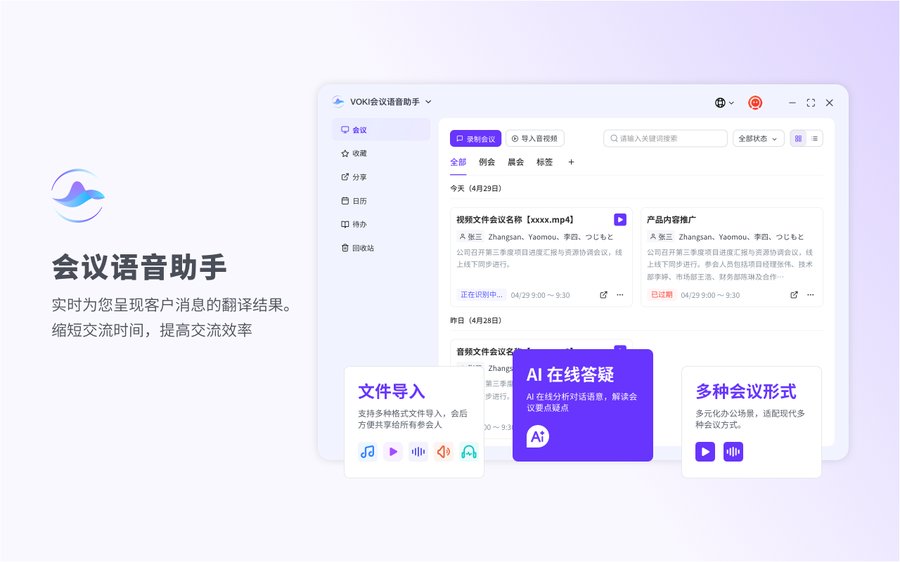
Desktop Client
Transcription, translation and minutes in one view
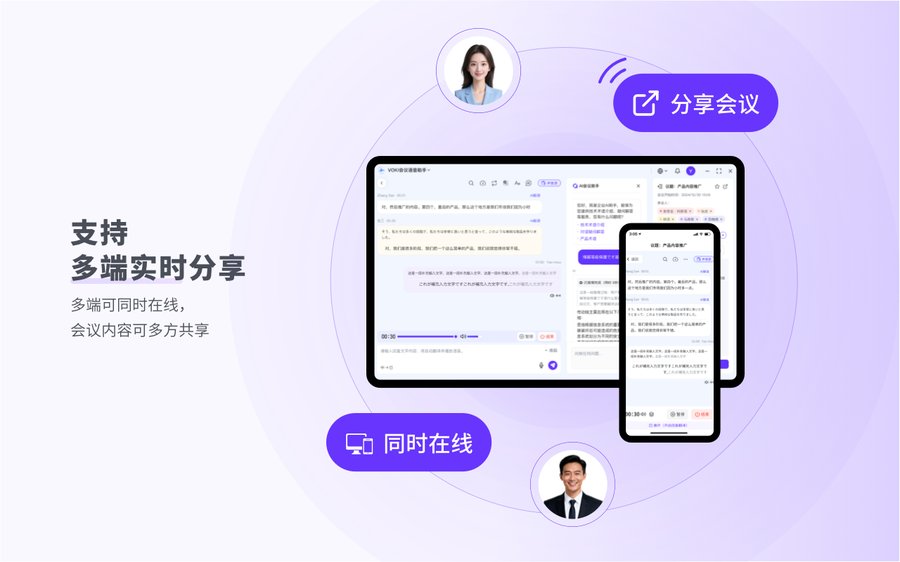
For Windows and macOS with deep system integration and mic-array optimization — stable transcription and live translation, even in long meetings.
Mobile App
Your meeting copilot, wherever you are
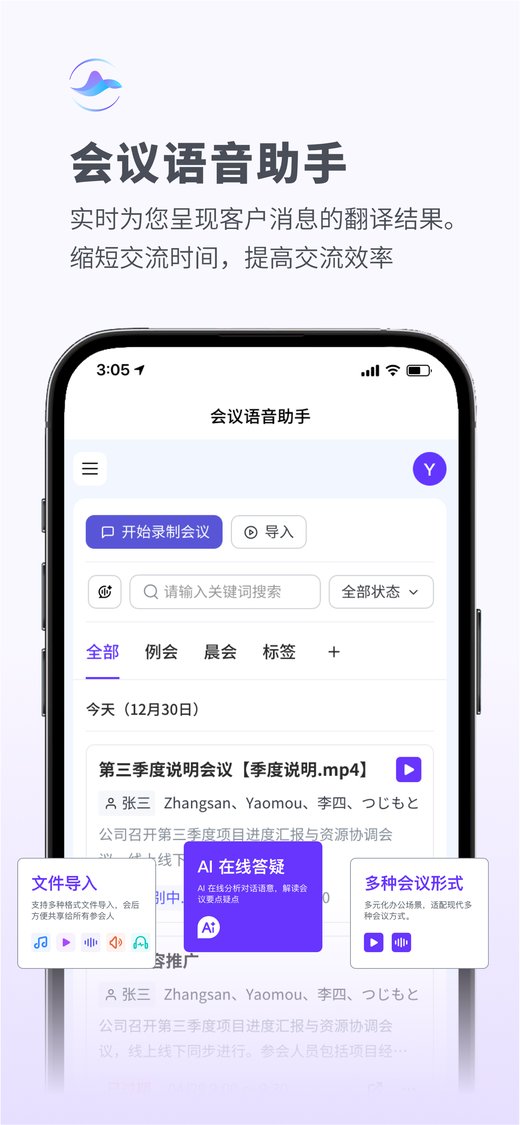
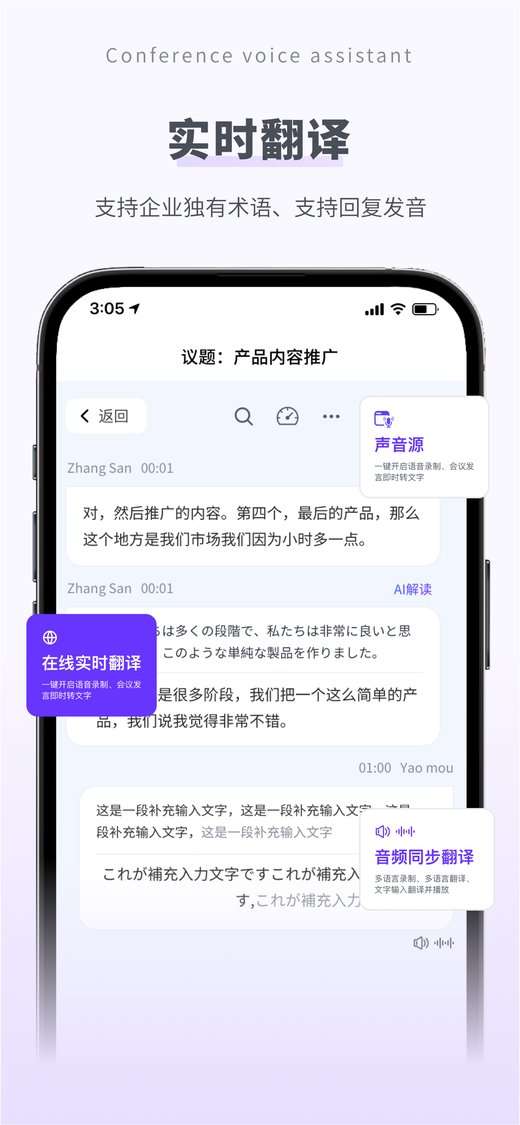
Join meetings, follow live transcription and translation on your phone, and view minutes and to-dos anytime after the call. On a real Android device, connect a recording card over Bluetooth with auto-reconnect, and import audio to transcribe anytime — never miss a key conclusion.
Global Meetings — Sound Familiar?
Every pain point has a matching AI capability
Can't follow meetings
in a foreign language?
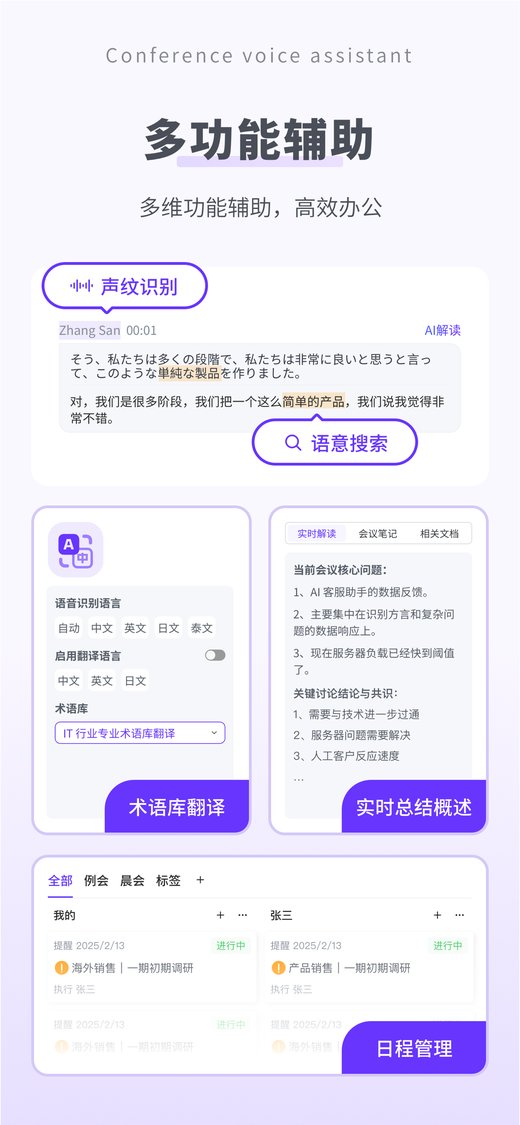
Real-time multilingual translation
Every attendee understands the meeting, regardless of language background.
Worried you can't capture
the other side online?
Dual-channel capture: system audio + microphone
Not tied to any meeting platform — capture both the remote audio and your own speech on separate tracks across Tencent Meeting / Zoom / Teams / Feishu and more.
Translation tools can't
tell speakers apart?
Voiceprint registration & recognition loop
Register voiceprints for frequent colleagues to auto-separate speakers during the meeting; label unknown speakers afterward and keep learning — recognition gets more accurate over time.
Hours spent writing
meeting minutes?
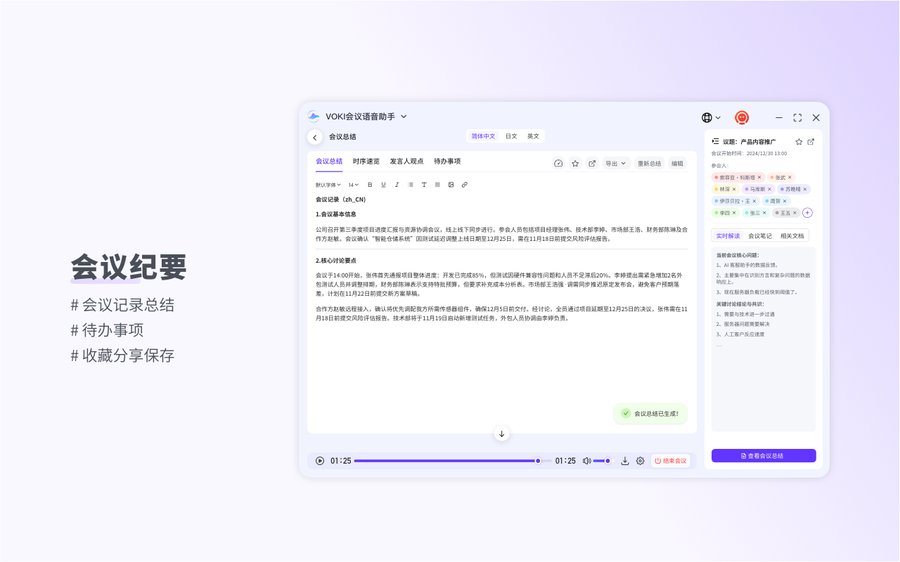
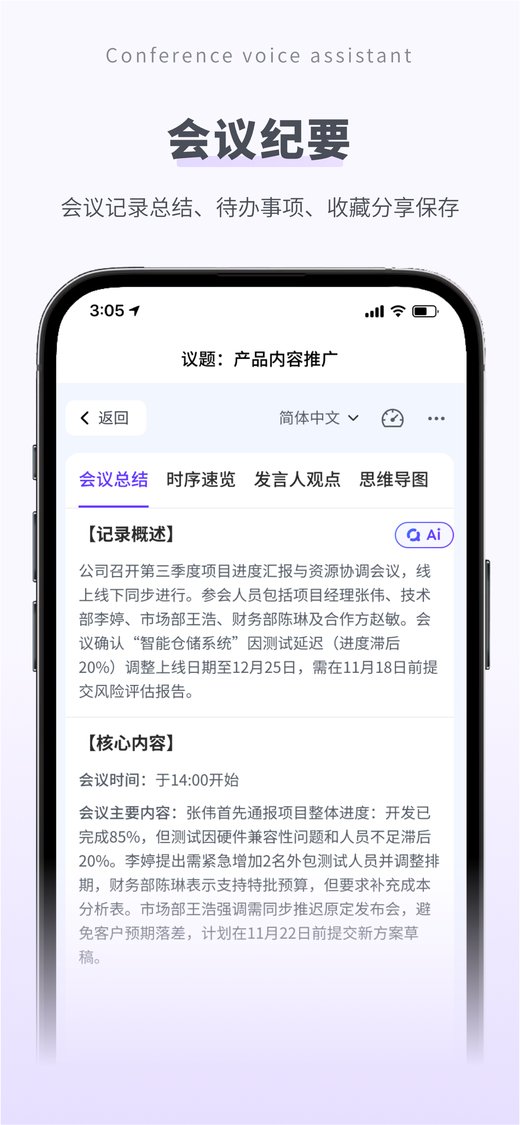
Auto post-meeting summaries & mind maps
Automatically generates a meeting summary, timeline overview, speaker opinions and mind map after the meeting — review key points fast.
On-site meeting,
no Voki running?
Recording-card Bluetooth import
The Android app connects to the recording card via Bluetooth, auto-reconnects on disconnect and auto-transcribes imported recordings; supports importing local audio/video files such as mp3 / wma / wav / mp4 / m4a.
Meeting outcomes need
repeated alignment?
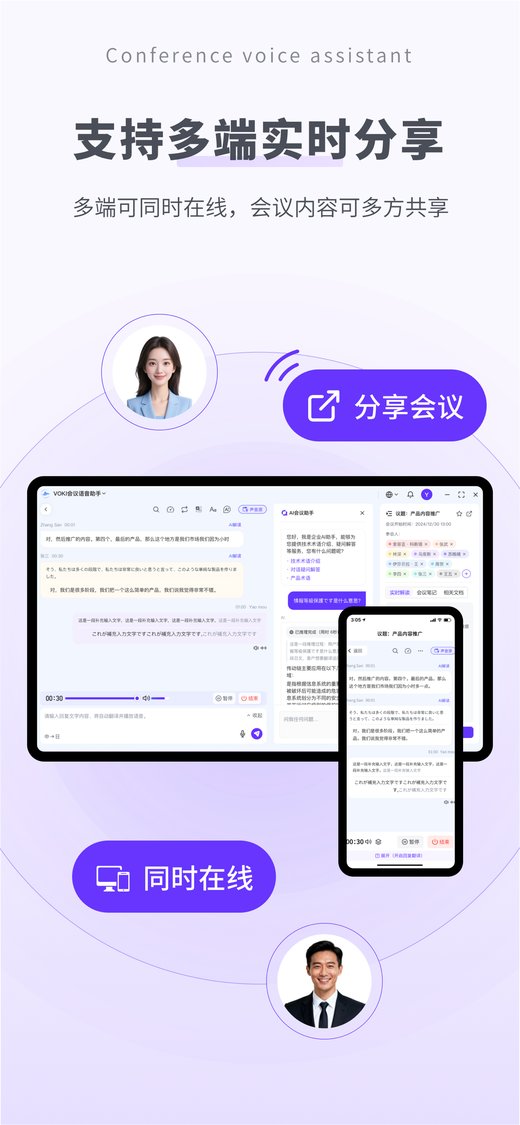
Internal & external sharing with calendar and to-dos
Share internally in one click or generate an external link for partners to view by permission; sync meeting schedules and post-meeting items to calendar and to-dos.
During, After & Collaboration — AI Across the Whole Chain
Three core modules cover meeting capture, consolidation and collaboration end to end
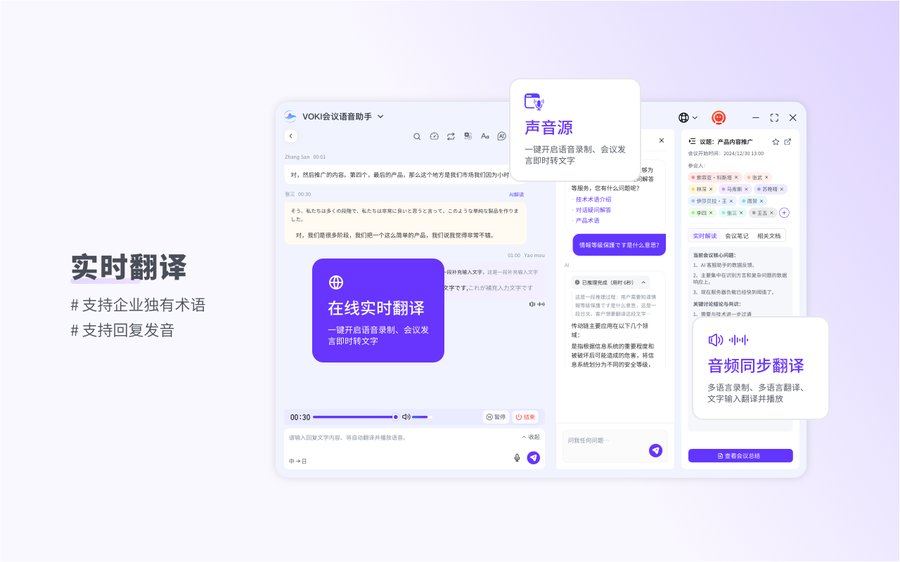
Real-time transcription & translation — communicate across languages without barriers
- ✓ Dual-track live and finalized recognition: text appears as you speak and is corrected when finalized — balancing speed and accuracy
- ✓ Microphone + system-audio dual capture, so online meetings are recorded in full too
- ✓ Multilingual translation with a translation-only view, spoken playback and AI interpretation
- ✓ Voiceprint separates speakers, so every speaker is visible in the record
Live Transcription Preview
来月の生産計画について確認させてください。
EN: Please let me confirm next month's production plan.
好的,产能预计提升15%,物料已经备齐。
EN: Sure — capacity is expected to rise 15%, and materials are ready.
AI Correction · Finalized Cleanup
“呃这个南...南方航空航班HU77八,我是说、说下午三点起飞能准时伐?”
“这个蓝方航空航班HU778下午三点起飞能准时吧?”
Smart Summary Preview
00:00 Opening & agenda · 08:30 Production plan discussion · 26:15 Material supply confirmation · 41:00 Task assignment
Tanaka: proposes moving delivery up by one week; Wang: materials are ready — supported.
Production plan ─ capacity +15% ─ materials ready ─ delivery one week earlier (expanded step by step from the central topic)
☐ Update production plan (Wang, this Friday)
☐ Confirm delivery date with supplier (Tanaka, next Monday)
Minutes and mind maps auto-generated 15 minutes after the meeting
- ✓ Auto-generates a meeting summary, timeline overview and speaker opinions, with regeneration and editing
- ✓ One-click mind map makes the meeting flow clear at a glance; export to XMind / image (in the app, export from desktop or browser)
- ✓ Export Word / Excel (line by line) / audio for replay; copy Markdown to share instantly
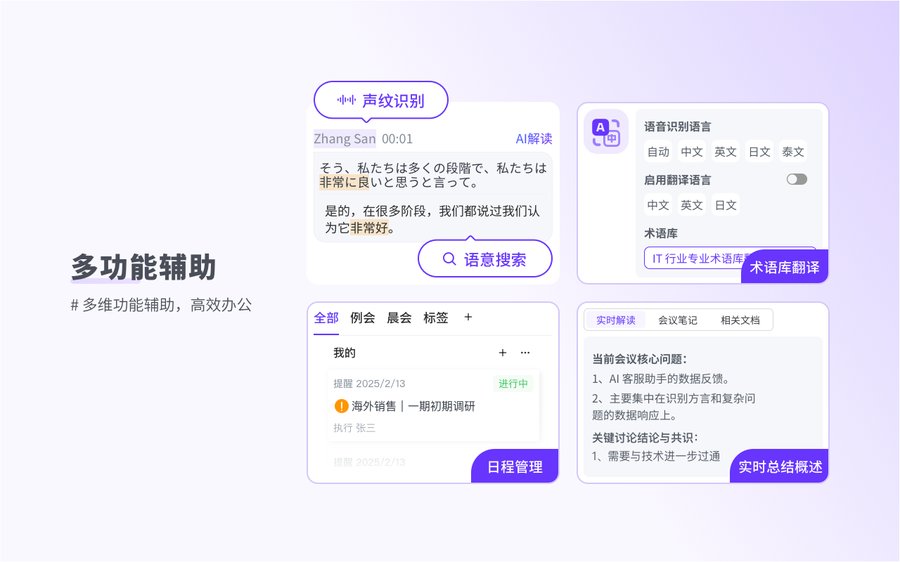
- ✓ Glossary prevents errors up front + search-and-replace fixes them after — batch-correct terminology for greater accuracy
- ✓ Label and train unknown speakers after the meeting — voiceprint recognition improves with use
Meeting outcomes flow in one click — the team stays aligned
- ✓ Share internally or generate an external link; guests view minutes, translations and mind maps by permission
- ✓ Favorite frequent meetings; calendar and to-dos sync meeting schedules and post-meeting items
- ✓ Multilingual glossary with custom company terms — brand names and proper nouns recognized and translated more accurately
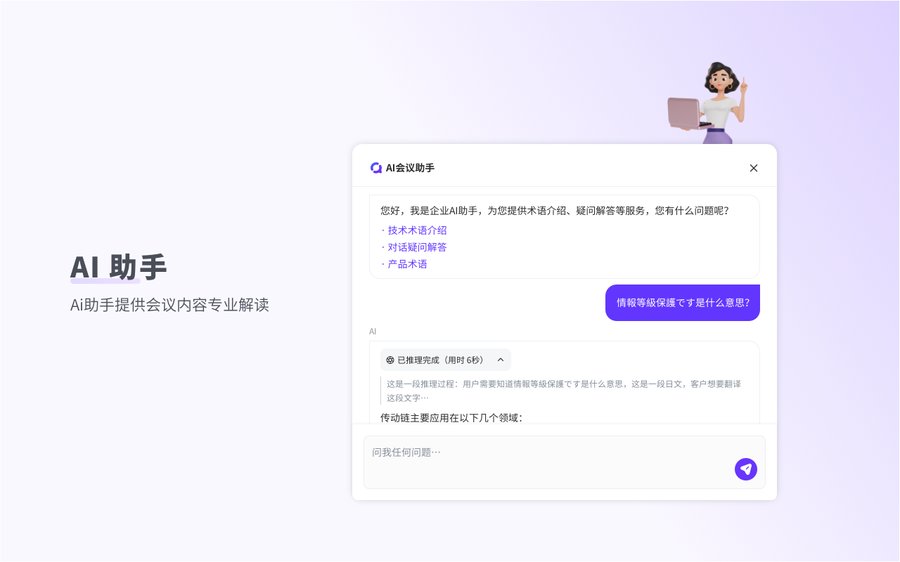
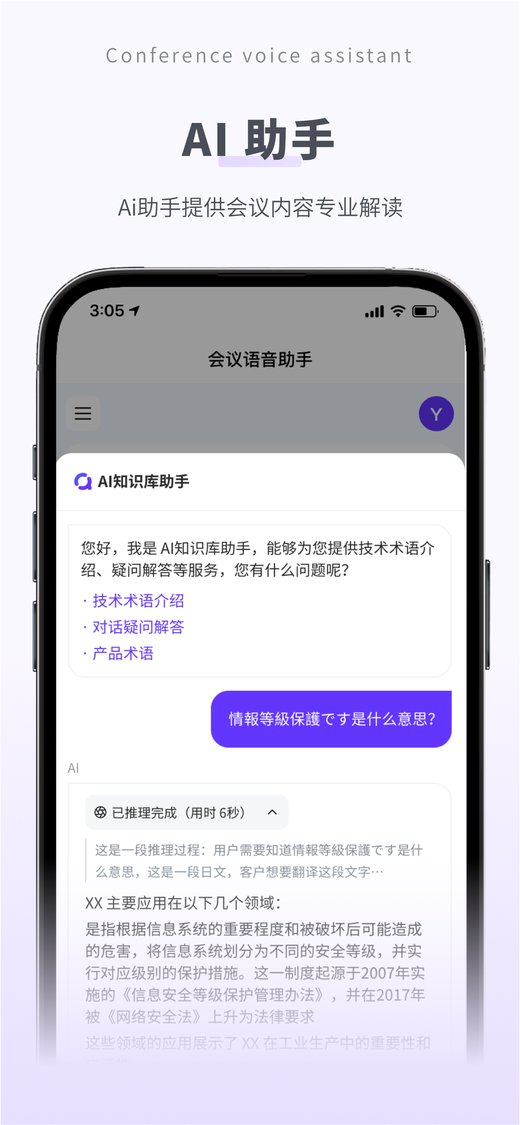
- ✓ Import meeting content into the knowledge base in one click and query it via the enterprise AI assistant (enabled by instance configuration)
- ✓ Desktop / mobile / web multi-device sync — continue meetings anytime, anywhere
Sharing & Collaboration Preview
https://vokiai.com/s/Ab12Cd34 · guests view minutes and translations by permission
View / download / expiry — revoke access anytime
Meeting schedules sync to calendar; post-meeting items become to-dos with reminders in one click
Outcomes from Real Deployments
Figures below are based on real deployments. Actual results vary by organization.
A Japanese manufacturer deployed the assistant for plant-wide assemblies. HQ chairman speeches flow smoothly with frequent interaction — reaching every employee without interpreters and gathering instant feedback. Foreign language skills become optional, not mandatory, when hiring specialists.
A Japanese trading company rolled it out company-wide. Staff join expert discussions without interpreters; the AI explains IT terms, sends meeting summaries 15 minutes after each session, and follows up on task assignments. Everyone gets a professional meeting secretary — no action item ever slips.
Frequently Asked Questions
You can use the web version with no install. To capture online-meeting system audio, the Windows / macOS desktop client is recommended; in a browser, prefer Chrome / Edge (this capability is limited in Safari). The mobile app is ideal for checking minutes and importing recording cards.
This is normal behavior of two-pass (2pass) recognition: the live result prioritizes low latency and streams text as you speak, while the finalized sentence is written after the utterance completes with more accurate content and corrects the earlier result. The finalized content is the official record.
Speakers are separated via voiceprint registration and recognition, with opinions grouped by speaker; segments that don't match a voiceprint are clearly labeled “Unknown speaker” (a gray dot, not an error). Name and train them as a new voiceprint after the meeting — recognition improves with use.
On a dropped connection, WebSocket reconnection and “Resume meeting” are supported — reconnect to the original meeting via the resume entry to keep the record continuous. Note that “Pause” can be resumed anytime, while “End meeting” is irreversible and automatically triggers the summary.
All traffic is encrypted over HTTPS / WSS with Token authentication; instance-level data isolation (hub_id) supports dedicated-instance delivery. Voiceprint capture requires the individual's informed consent, permissions are requested only within the minimum scope, and in-app account deletion is supported (meeting app-store compliance requirements).
Every Meeting Ends with
Clear Conclusions & Actions
Book a product demo and make every meeting searchable, shareable and reusable
AI Enterprise Knowledge Hub
Full-lifecycle knowledge management with precise RAG retrieval & Q&A — 100% traceable AI output
Learn MoreAI Smart Chat
Multi-turn conversations, doc/image extraction, knowledge-enhanced answers — every employee's AI partner
Learn MoreAI Document Translation
38 languages, multi-format support, pixel-perfect layout preservation, ~5 min delivery
Learn More